noworkflow is an open-source tool for Python that automatically traces and visualizes Abstract Syntax Trees (AST) from scripts. It helps users analyze, compare, and understand code transformations during development or experimentation—without modifying the original script.
- Automatic AST tracing: Capture ASTs from Python scripts with no code changes.
- Visualization: Visualize and compare ASTs to understand code evolution.
- Open source: Community-driven and extensible.
- No code modification required: Works transparently with your existing scripts.
Screenshots
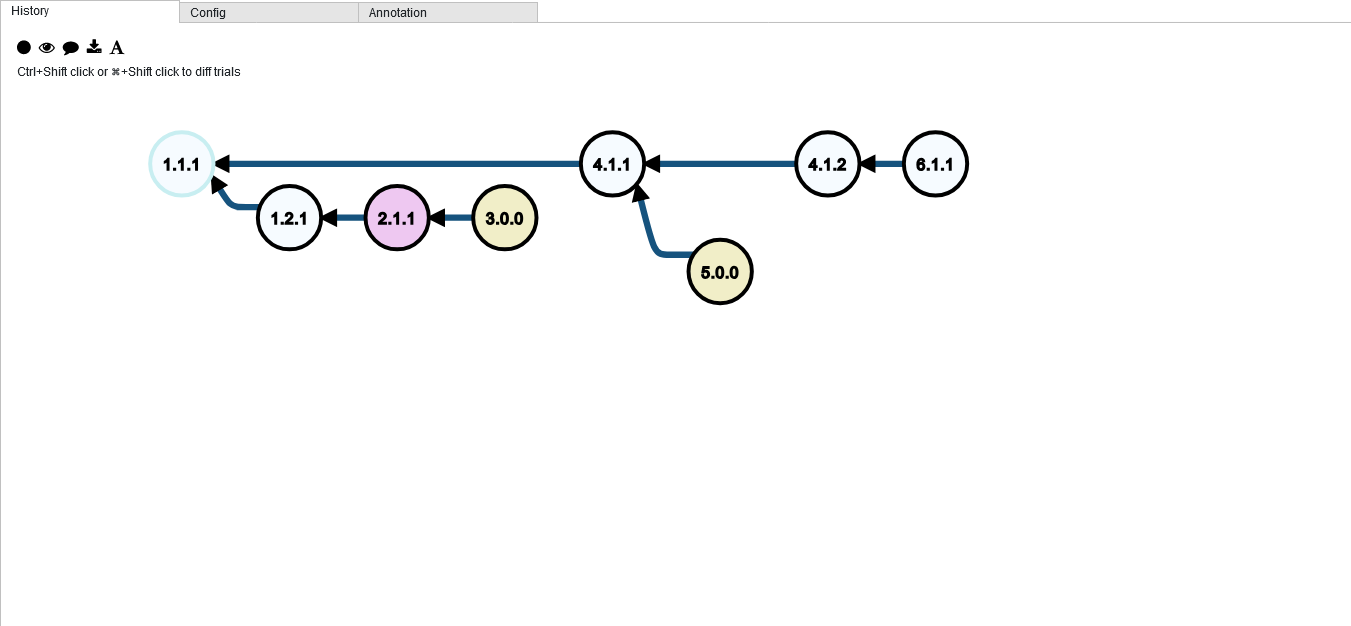
Graph of Trials
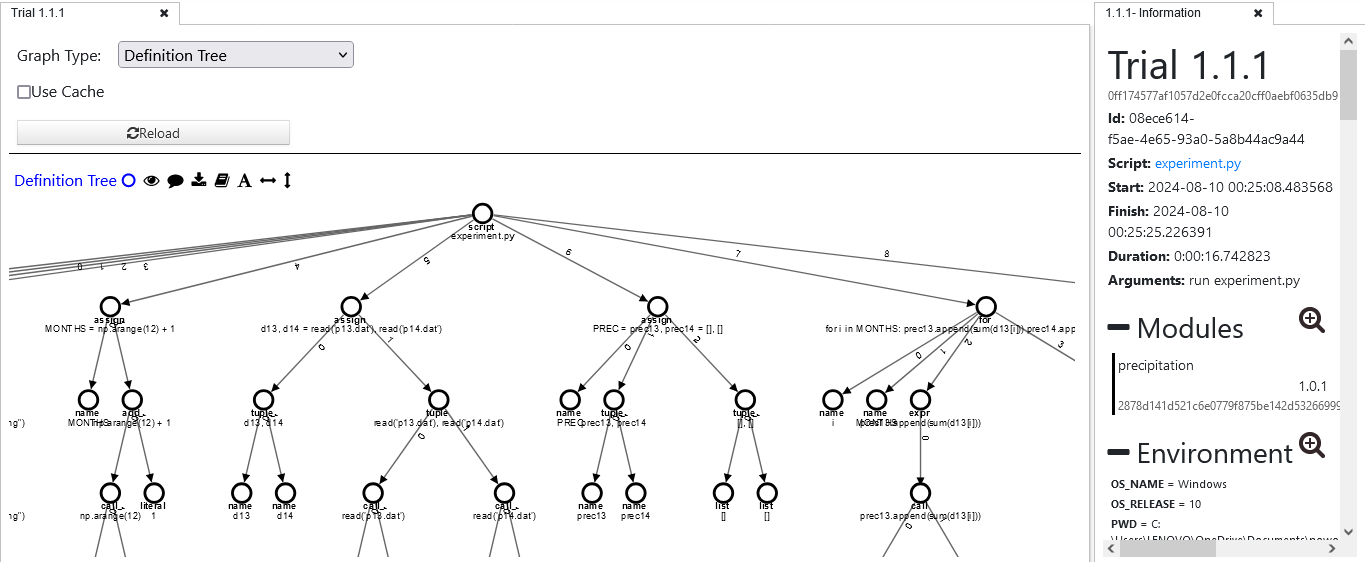
Trial Detail
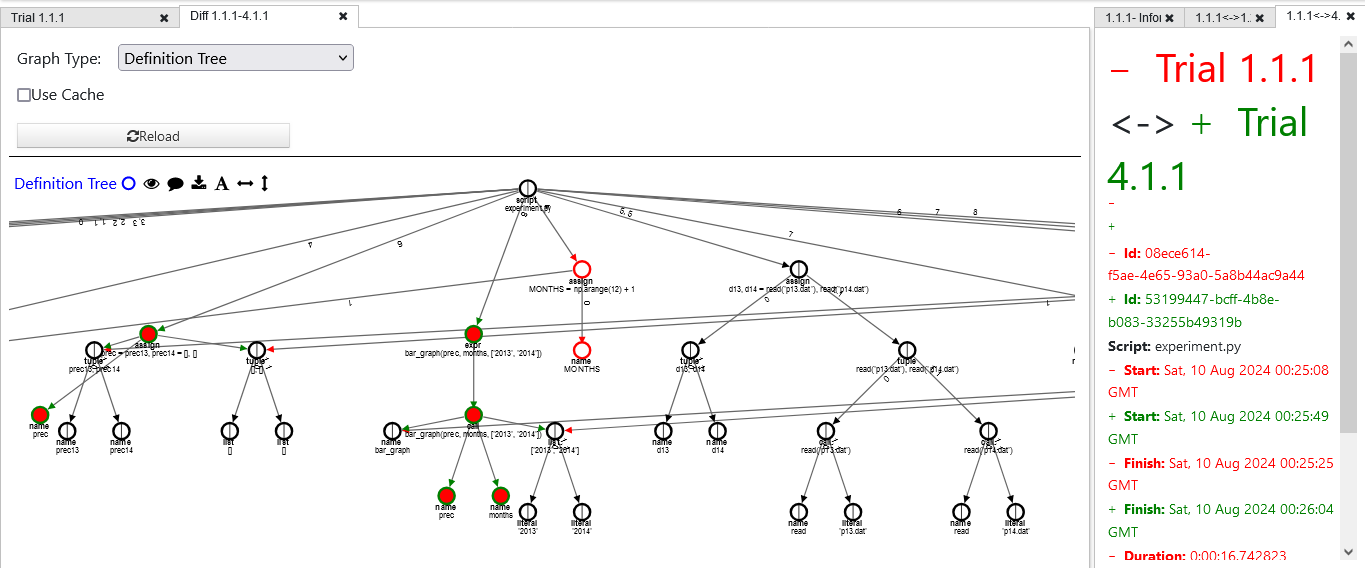
Comparison View
Installation
Ready to get started? Here are the concise instructions for installing noworkflow. For comprehensive details and troubleshooting, please refer to the official noworkflow GitHub repository.
Quick Installation (Recommended)
For a quick setup, use pip. This method installs the stable version along with common dependencies for provenance analysis:
pip install noworkflow[all]If you only need the core noWorkflow functionality without the provenance analysis tools, you can install just the essential components:
pip install noworkflowInstalling the Latest Version (from Source)
To get the most up-to-date stable version, clone the repository and install from source. This is recommended for accessing the newest features and compatibility with recent Python versions (e.g., Python 3.12.4).
git clone git@github.com:gems-uff/noworkflow.git
cd noworkflow
python setup.py install
pip install -e ".[all]"
Usage
noWorkflow operates transparently, requiring no modifications to your Python scripts. Here's a brief overview of common commands. For a complete guide and advanced features, check out the official documentation on GitHub.
Basic Execution & Provenance
To run a Python script with noWorkflow and automatically capture its provenance:
now run script.pyUse the -v (verbose) option for detailed feedback during execution:
now run -v script.pyEach run generates a unique "trial" stored in the provenance database.
Managing Trials
- List all trials:
now listThis command shows a summary of all recorded trials, including their status (f for not finished, * for finished, b for backup).
- Restore files from a trial:
now restore [trial_id]Restores the script, imported local modules, and initial file accesses from a specific trial. Use options like -s (skip script), -l (skip modules), or -a (skip file accesses). You can also restore a single file using now restore -f path.
- View trial details:
now show [trial_id]Displays detailed information about a trial. Options include -m (module dependencies), -d (function definitions), -e (environment context), -a (function activations), -p (noworkflow parameters), and -f (file accesses).
- Compare two trials:
now diff [trial1_id] [trial2_id]Compares the provenance data of two trials. Options exist to compare modules (-m), environment (-e), or file accesses (-f).
Advanced Analysis & Export
- Generate dataflow graph (Graphviz DOT format):
now dataflow [trial_id] -m prospective | dot -Tpng -o prospective.png- Export provenance to Prolog facts:
now export [trial_id]- Export provenance to PROV-O format:
prov [trial_id]- View database schema (SQL or Prolog):
now schema sql
now schema prolog- Check history evolution graph:
now history [trial_id]- Query evaluations and dependencies:
now evaluation      # Shows executions and accesses to values
now evaluation wdf # Identifies dataflow dependency relationships- Export AST (Prolog or Notebook):
now ast [trial_id]You can also specify output format using -j (--json) for JSON or -d (--dot) for Graphviz dot format:
now ast [trial_id] --dotGist Report
This section contains my Google Summer of Code (GSoC) report for my work on noworkflow. The report summarizes my contributions, key achievements, and the impact of my work on the project.
Contributing
noworkflow is open source and welcomes contributions!
See the contributing guide to get started.